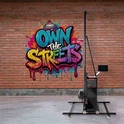
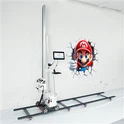
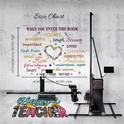
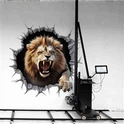
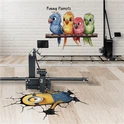
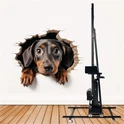
If you're eyeing a vertical wall printer in 2025, you're not alone. These machines turn bare walls into fast, high-margin murals-great for sign shops, interior décor firms, event agencies, hospitality, real estate staging, schools, and more. The market's maturing fast, too: better mechanics, smarter software, improved white ink workflows, and more reliable support networks.
This guide pulls together what buyers care about most-print quality, reliability, total cost of ownership, and after‑sales support. As always, lock your decision with a live demo on your actual wall surface.
What follows: the top 10 brands most buyers will come across in 2025, what they're best for, common trade‑offs, and a simple way
to shortlist the right machine for your work. Let's explore the top 10 wall printers and see which ones truly live up to their price.
Quick comparison
| Brand | What stands out | Best for | Considerations |
|---|---|---|---|
| WallPen | European-grade build, precise registration, polished UX | Agencies, universities, enterprise | Premium pricing; confirm lead times |
| DXonJet | Strong results for the money, mainstream components | Startups, sign shops scaling up | Verify printhead model and local parts |
| TWP (The Wall Printer) | Turnkey bundles, training-first approach | New teams wanting fast onboarding | Confirm RIP licensing and updates |
| Tanyu | Compact and mobile-friendly | Event/on-site mural work | Check real speed at quality settings |
| Tudox | Practical feature set at fair prices | Budget-conscious mural shops | Ask for mixed-surface samples |
| Kivo | Balanced price/performance, active users | Creative studios, décor installers | Support varies by dealer |
| Friankor | Strong color with white ink layering | Dark or textured substrates | White ink adds cost and maintenance |
| HKHR | Space-saving rigs, simple setup | Retail interiors, apartments | Confirm height extensions and tracking |
| Maxwave | Rugged frames and scale-up options | Outdoor or high-volume work | Heavier; plan transport and cases |
| Perfect Laser | Wide distribution, many models | First-time buyers comparing options | Quality varies by reseller-vet warranty |
How to choose a wall printer?
Image quality and color
Look for stable color with good ICC management and smooth gradients.
Ask for prints on rough plaster, painted drywall, and brick-quality changes by surface.
Printheads and ink
Common heads: Ricoh G5/G6/G5i, Epson i3200. Ricoh tends to last longer in UV; Epson is widely available and cost-effective.
UV ink is standard for adhesion and durability. White ink is key for dark walls but adds maintenance.
Safety: UV inks need ventilation-ask about odor, filters, and lamp safety.
Mechanics and setup
A rigid gantry, stable wheels/rails, and reliable leveling matter more than brochure DPI.
Check max print height, extension modules, and how the machine handles uneven walls.
Software and workflow
Look for a capable RIP, tiling/sectioning for tall murals, and anti-banding tools.
Ask who provides ICC profiles, training, and updates.
Service and parts
Who fixes the machine if it breaks? Local techs? Video support? Spare parts stock?
Get warranty terms in writing (printheads, electronics, travel time, response SLA).
Portability and logistics
Weight, breakdown time, case size, and wheel quality matter for on-site jobs.
Power: confirm 110/220 V compatibility and actual current draw.
Brand-by-brand buyer Notes
1) WallPen
Why people pick it: Premium engineering, tight registration, and a refined operator experience. The machines feel stable under load and tend to maintain alignment well across uneven sections.
Best fit: Teams that prioritize repeatable quality and uptime-agencies, universities, corporate atriums, higher-end décor.
What to check in a demo:
Smooth gradients without banding at your "sellable" speed.
Vertical alignment on walls with minor texture.
Any software tools for color management and tiling tall prints.
Considerations: Higher upfront cost. Plan for formal training-it pays back in fewer mistakes and faster jobs.
2) DXonJet
Why people pick it: Value-focused machines that use mainstream components, making parts and consumables easier to source. A sensible step up from entry-level kits without breaking the bank.
Best fit: Startups and sign shops moving from vinyl or DTF to on-wall work, where consistency and cost control matter.
What to check in a demo:
Exact printhead model (e.g., common families include Ricoh G5/G6 or Epson i3200 in UV variants) and replacement cost.
Adhesion on the wall paints you typically see-satin, eggshell, semi-gloss.
Considerations: Support can be reseller-dependent. Get warranty and parts stocking in writing (especially printheads and boards).
3) TWP (The Wall Printer)
Why people pick it: Turnkey packages-machine, RIP, inks, training, and accessories-so teams can be productive quickly. Clear documentation and onboarding are often a selling point.
Best fit: New entrants who prefer a guided path: clear installation steps, structured training, and responsive after-sales help.
What to check in a demo:
Real-world speeds at the quality clients expect.
RIP licensing terms (who owns the license, update costs, how many seats).
Considerations: Watch software version compatibility and ensure you can export/import ICC profiles as your media mix expands.
4) Tanyu
Why people pick it: Compact rigs that are easier to move, set up, and tear down-handy for events, on-site murals in apartments or retail, or multi-stop days.
Best fit: Mobile teams with varied jobs, including narrow hallways or smaller rooms where a lighter footprint matters.
What to check in a demo:
Stability on slightly uneven floors and minor wall bowing.
Repeatability when breaking down and re-assembling the unit.
Considerations: Speed and max print height vary by configuration; verify what's achievable without swapping modules mid-job.
5) Tudox
Why people pick it: Practical features at fair prices-good enough mechanics, usable software, and straightforward operation for everyday murals.
Best fit: Budget-conscious buyers aiming for reliable output on standard interior walls with occasional textured surfaces.
What to check in a demo:
Sample prints on the kinds of plaster, brick, or painted drywall you see locally.
Anti-banding features and maintenance routines you'll do weekly.
Considerations: You may trade some fit-and-finish for price. Vet training quality and spare parts access.
6) Kivo
Why people pick it: Balanced price/performance with an active user community-advice flows more freely when lots of operators run the same platform.
Best fit: Creative studios and décor installers who need a flexible, "does a bit of everything" machine.
What to check in a demo:
Color management workflow: built-in or external RIP support, ICC profile handling.
Tiling accuracy and registration when printing multi-panel tall designs.
Considerations: Dealer quality matters. Choose a seller with real commitments around response times and parts.
7) Friankor
Why people pick it: Strong color options with a focus on white ink layering-important for dark or textured walls where an underbase unlocks vibrancy.
Best fit: Operators who frequently print on colored substrates, brick, or rough plaster, and who want crisp results without the colors sinking into the surface tone.
What to check in a demo:
White ink agitation, circulation, and maintenance routines.
How the RIP handles white ink choke/spread, underbase density, and spot white layers.
Considerations: White ink increases cost per square foot and requires disciplined maintenance. Friankor's own buyer resources emphasize training and workflow-good info to ask them about.
8) HKHR
Why people pick it: Compact footprint and simple setups, useful in tight interiors, apartments, or boutique retail spaces where moving a larger frame is impractical.
Best fit: Interior-focused teams that rarely need oversized heights but want maneuverability and quick changeovers.
What to check in a demo:
Height extension kits, wall-following or laser alignment aids, and performance on minor floor slopes.
How the machine handles wall texture transitions without banding.
Considerations: Confirm accessory availability (extensions, cases, extra wheels/rails) and exact print area per setup.
9) Maxwave
Why people pick it: Rugged frames and scale-up options aimed at longer runs, indoor/outdoor use, and more demanding schedules. The brand's public guides are also useful when learning what to ask vendors.
Best fit: High-volume operators and teams that want to grow into bigger, more frequent jobs-retail rollouts, hospitality, institutions.
What to check in a demo:
Stability on brick or stucco vs. smooth drywall, and how the head carriage handles micro-steps on rough surfaces.
Any auto-leveling or laser tracking features that keep passes aligned over long prints.
Considerations: Heavier systems need thoughtful transport-cases, ramps, a two-person crew, and vehicle space. Plan logistics alongside the machine purchase.
10) Perfect Laser
Why people pick it: Big manufacturer with broad distribution and lots of models to compare. Easy to source and often competitively priced.
Best fit: First-time buyers who want brand variety and a baseline feature set without boutique pricing.
What to check in a demo:
Model-to-model differences (printheads, Z-axis precision, software) and who actually services the unit locally.
Warranty scope in writing (heads, electronics, travel time).
Considerations: Quality and support can vary by reseller. Vet the actual seller's training, spare parts stocking, and response SLAs.
The stuff that actually matters
Printheads and ink system
Common head families include Ricoh G5/G6 and Epson i3200 in UV configurations. Ricoh heads are known for longevity in UV; Epson is widely available and cost-effective.
White ink is essential for dark walls but adds cost and maintenance; make sure agitation/circulation is built-in and training covers white underbase setup.
UV inks need ventilation-ask about odor, filtration, lamp safety, and local regulatory requirements for indoor work.
Mechanics and leveling
A rigid gantry, accurate Z-axis control, and stable wheels or rails matter more than brochure DPI claims.
Laser guides or wall-following aids help maintain consistent nozzle-to-wall distance.
Confirm how the machine handles uneven walls: micro height adjustments, passes over texture, and any anti-tilt protections.
Software and workflow
A reliable RIP with ICC profile support is non-negotiable. You need control over ink limits, pass counts, and banding mitigation.
For tall walls, make sure tiling, registration marks, or sectioning tools keep large jobs aligned.
Ask how often updates are released and whether they're included or subscription-based.
Service, training, and parts
Who helps when the machine hiccups? Local techs? Remote video support? Real SLAs?
Spare parts: printheads, wipers, caps, filters, boards, UV lamps. Ask what's stocked locally and typical shipping times.
Training: how many hours, on-site vs. remote, and how quickly operators typically get independent.
Portability and logistics
Weight, breakdown time, case quality, and wheel performance matter if you're on the move.
Power: confirm 110/220 V support and the machine's real current draw on job sites.
Total cost of ownership (TCO)
Beyond the sticker: shipping, import duties, installation, training, spare heads, consumables, software licenses, and white ink usage.
Factor in maintenance time-white ink systems require more attention.
Safety and compliance
UV curing requires good ventilation. Ask about odor control, PPE, and local rules for occupied spaces like schools or offices.
Reality check on "speed" and "DPI"
Marketing speeds usually reflect draft mode on smooth walls. Your sellable quality might be 2–4x slower.
DPI on a brochure doesn't guarantee smooth gradients. Mechanical stability, pass strategy, and RIP quality determine real output.
The best proof is a same‑image, same‑settings, same‑wall demo across your shortlisted brands.
Regional notes (UK, EU, North America)
- UK/EU: Support coverage, spare parts in-region, and VAT/import handling can swing TCO. Regional roundups often weigh dealer presence heavily-sensible if you value fast on-site help.
- North America: Power compatibility (110 V), training coverage across multiple states, and resellers' response SLAs are key. Check travel charges and minimum on-site fees.
- Middle East/Asia: Climate and dust control can matter for UV systems. Confirm filtration, lamp cooling, and recommended maintenance cadence.
Pricing tiers
- Budget: Entry machines with decent prints if you're patient with setup. Expect more manual alignment and slower "true quality" speeds.
- Mid‑range: Better mechanics, steadier Z‑control, more polished software-often the sweet spot for most sign and décor shops.
- Premium: Tight registration, refined UX, strong training and support-ideal for enterprise and mission-critical installs.
- Hidden costs to probe:
Shipping, import duties, installation/training fees
Spare printheads, wiper/cap assemblies, filters, UV lamps, encoder strips
RIP licenses, updates, or add-ons
White ink consumption and extra maintenance time
Transport cases and insurance for mobile teams
Quick ROI picture
- A single 80–150 sq ft mural at a healthy margin often covers a week (or more) of payment on a financed unit.
- Two to four jobs per month is enough for many buyers to justify the machine.
- Upsell opportunities: design work, surface prep/primers, protective topcoats, and service contracts for multi-site clients.
- Run your local numbers with conservative assumptions, then sanity‑check with peers.
Demo checklist
- Unedited video (or in-person) of a full print on your typical wall paint/texture
- Printhead model, ink type, and head replacement cost/lead time
- Warranty in writing: heads, electronics, labor/travel, response times
- Parts stocking: what's local, what ships from overseas, how fast
- Training: hours included, on-site vs. remote, time to operator independence
- Accessories: extensions for height, alignment aids, transport cases, spare maintenance kits
Take the same test image to each vendor and insist on the same settings. Let the prints decide.
Frequently asked questions
What surfaces can wall printers handle?
Painted drywall, plaster, concrete, brick, wood, and some tiles. Glossy paint or glass usually needs a primer. Always test the real wall.
Are UV inks safe indoors?
You need ventilation. Ask about odor, filtration, lamp safety, and PPE, and follow local regulations for occupied spaces.
How tall can they print?
Depends on model and extensions. Many systems support multi‑meter heights with add‑ons. Confirm the exact configuration in your quote.
How do I keep prints from scratching?
Many UV prints are resilient, but a clear topcoat (water- or solvent-based, as compatible) can add scuff and cleaning resistance. Test first.
Do I need white ink?
If you print on dark or colored walls, yes-white underbase is how you get punchy color. It adds cost and maintenance, so train your team well.
How do I avoid banding?
Stable mechanics, correct head height, sufficient passes, quality ICCs, and clean nozzles. Ask your vendor to demonstrate anti-banding strategies at sellable speeds.
What those public buyer guides get right
- Training and support matter more than a spec line.
- Printhead families define cost and longevity. Know exactly which head and ink system you're buying, and the price/lead time for replacements.
- White ink is a commitment. It unlocks dark walls but needs agitation, circulation, and more frequent maintenance-plan time and consumables accordingly.
- Real-world surfaces change the game. Plaster, brick, and textured paint will expose weaknesses in leveling and pass strategy. Always demo on your surface.