Unveiling the Disadvantages of Laser Printers: Is the Speedy Printing Marvel Flawless?
Introduction
Laser printers have become a staple in offices and homes, celebrated for their rapid printing speeds and crisp output. However, like any technology, laser printers come with their own set of drawbacks. In this comprehensive guide, we'll delve into the disadvantages of laser printers, shedding light on aspects that are often overlooked. Understanding these limitations can help you make an informed decision when choosing the right printer for your needs.
Table of Contents:
1. Overview of Laser Printers
2. Disadvantage 1: High Initial Cost
3. Disadvantage 2: Limited Color Options
4. Disadvantage 3: Size and Bulkiness
5. Disadvantage 4: Complex Repairs and Maintenance
6. Disadvantage 5: Environmental Impact
7. Disadvantage 6: Noise Levels
8. Disadvantage 7: Consumable Costs
9. Disadvantage 8: Limited Media Compatibility
10.Difference of Laser Printers and UV Wall Printer
11. Meet the TWF1000 Wall and Floor printer machine
12. Tanyu TWF1000: Features and After-Sales Support
13. Conclusion: Balancing Pros and Cons
1. Overview of Laser Printers
Laser printers have gained popularity for their efficiency in producing high-quality prints at remarkable speeds. However, it's crucial to examine the downsides that may influence your decision when opting for this printing technology.
2. Disadvantage 1: High Initial Cost
One prominent drawback of laser printers is their relatively high upfront cost. The advanced technology and components that enable speedy and precise printing come at a price. While the cost of laser printers has decreased over the years, it remains a factor to consider for budget-conscious consumers.
3. Disadvantage 2: Limited Color Options
Traditional laser printers are predominantly monochrome, limiting their suitability for tasks that require vibrant color printing. While color laser printers exist, they tend to be more expensive, and the color quality may not match that of inkjet counterparts.
4. Disadvantage 3: Size and Bulkiness
Laser printers, especially those designed for office use, are often larger and bulkier than their inkjet counterparts. This can be a concern for home users or businesses with limited space. Compact laser printers are available, but they may sacrifice some features found in larger models.
5. Disadvantage 4: Complex Repairs and Maintenance
Laser printers consist of intricate components, and when they malfunction, repairs can be complex and costly. DIY maintenance is often limited, requiring professional assistance for more intricate issues. This complexity can lead to prolonged downtime and increased maintenance expenses.
6. Disadvantage 5: Environmental Impact
While laser printers are generally more energy-efficient during the printing process, they may have a higher environmental impact in terms of manufacturing and disposal. The production of toner cartridges and their disposal contribute to electronic waste, raising concerns about sustainability.
7. Disadvantage 6: Noise Levels
Laser printers can be noisy during operation, emitting sounds that may be disruptive in quiet office or home environments. This noise level can be a significant consideration, especially in spaces where a quieter printing process is preferred.
8. Disadvantage 7: Consumable Costs
While laser printers offer a cost-per-page advantage over inkjet printers, the consumables, such as toner cartridges, can be expensive to replace. This ongoing cost should be factored into the overall expense of owning a laser printer.
9. Disadvantage 8: Limited Media Compatibility
Laser printers may have limitations in terms of media compatibility. They may struggle with specialty media such as glossy photo paper or certain types of labels. This can be a disadvantage for users requiring diverse printing capabilities.
10. Laser printers and UV wall printers are two distinct types of printing technologies, each designed for very different purposes.
Here's how they differ:
Printing Surface: Laser printers are built to print on paper or similar flat media, making them a go-to choice for documents and small images. UV wall printers, however, can print directly onto a wide range of surfaces like walls, glass, metal, or even floors, offering far more flexibility.
Ink Technology: Laser printers use toner, a dry powder ink, which is transferred to paper using a laser beam and fused with heat. In contrast, UV wall printers use liquid ink that's instantly cured (dried) by ultraviolet (UV) light as it's applied, allowing it to stick to diverse materials.
Size and Scale: Laser printers are typically compact, desktop-sized devices suited for smaller prints like letters or photos. UV wall printers are much larger and designed to handle big projects, such as covering entire walls with graphics or murals.
Application: Laser printers shine in everyday tasks like printing reports or personal photos. UV wall printers, on the other hand, are used for creative or commercial purposes, such as producing large-scale artwork, signage, or decorative murals.
In summary, laser printers are ideal for small-scale, paper-based printing, while UV wall printers are specialized for large, versatile surface printing.
11. Meet the TWF1000 Wall and Floor printer machine
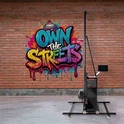
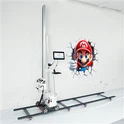
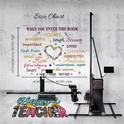
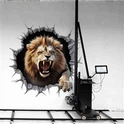
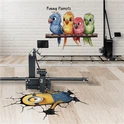
Enter the TWF1000, a wall and floor printer machine that does it all. It's like the Swiss Army knife of printers-built from the same guts as the DXonJet wall printer but with a twist: it flips from walls to floors with ease. Using UV tech, it prints on everything from bricks to tiles. I'd argue it's the best wall printer machine and floor printer rolled into one-perfect for anyone who hates picking sides.


12. Tanyu TWF1000: Features and After-Sales Support
Standout Features
The TWF1000 isn't just versatile-it's packed with perks:
Dual Duty: One machine for both wall printing and floor printing. No need to buy a wall printer for sale and a separate floor unit.
Uneven Surfaces: Two high-precision sensors adjust the print head (up to 120mm) for flawless prints on bumpy floors or walls-unlike some Chinese wall printers I've tested that struggled with curves.
Image Stitching: With laser positioning, it stitches big images horizontally. I've dreamed of a wall-to-floor design that flows seamlessly- this makes it real.
Eco-Friendly: Uses UV ink that's kinder to the planet than traditional methods like PVC films. Plus, it's scratch-proof and lasts up to 15 years.
High Res: Up to 2880 DPI with Epson double heads-crisp enough for a photo wall printer or detailed floor art.
Personal take: I love how it cuts costs (ink's just $0.5 per square meter) and simplifies life for a wall printing company or DIY enthusiast like me who's tempted to start a 3D wall printing business.
After-Sales Support
Tanyu doesn't just sell you a wall printer robot and wave goodbye. We offer:
Training: Full setup and operation guidance-think of it as a crash course in how to print on walls or floors.
Tech Support: A team ready to troubleshoot, whether you're a wall printer manufacturer or a newbie with a DIY wall printer.
I've dealt with brands that ghost you post-purchase-Tanyu feels like a partner, not a vendor.
13. Conclusion: Balancing Pros and Cons
In conclusion, laser printers are powerful machines with notable advantages, but they are not without their drawbacks. When considering a printer for your needs, it's essential to weigh the advantages and disadvantages carefully. Depending on your priorities and usage requirements, the disadvantages of laser printers may be outweighed by their efficiency and print quality.